


Subbly Checkout
The most customizable checkout in the world. No code needed.
Describe the change and your agent makes it: the steps, the questions, the plans, the offers, the layout and the logic behind them. Subscriptions, one-off products, memberships and gifts in one checkout. No templates, no plugins, no developer needed.
3 days free, then $1/wk for 4 weeksNo card needed14 days freeCancel anytime


 20,000+ merchantson Subbly over 11+ years
For illustrative purposes only.
Pick a change. Watch your agent make it.
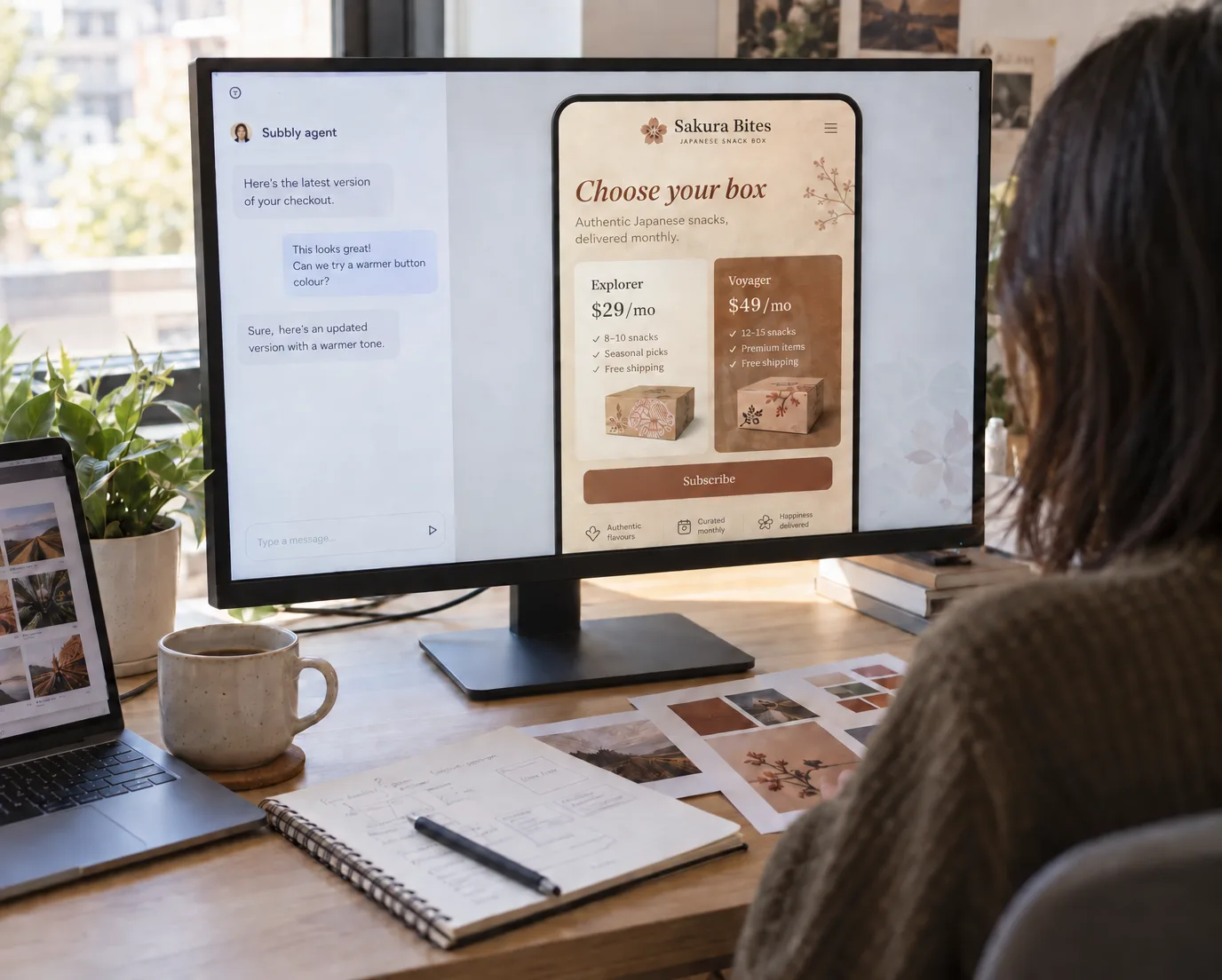
In your store, you describe any change in your own words.
On most platforms, the checkout is the part you can’t change.
General store builders lock the checkout down. You get your logo, your colours and a few settings. Anything more is a plugin, a developer or a higher plan. For a subscription business that is the worst place for a limit: checkout is where the plan, the frequency, the gift and the first box get decided.
A plugin for every idea
A gift option, a build-your-box step and a delivery date picker is three apps, three monthly bills, and three things that can conflict while someone is paying.
A developer for every exception
Prepaid terms, delivery zones, a question only some products need: each one is a ticket and a wait.
The same checkout as everyone else
The page where someone decides to subscribe looks like a thousand other stores.
Change your checkout the way you’d brief a designer.
- Subbly agentOffer a mug for $12 after they pick the Voyager plan.1
Describe it
“Offer a mug for $12 after they pick the Voyager plan.” Your agent already knows your products, plans and prices, so there’s no brief to write.
- Mobile DesktopAdd a Tabi mug · $12Preview2
Check it
Your agent builds the change in your store. Click through it on mobile and desktop before anyone else sees it.
- Tabi Snack Co. LiveVoyager$49/moAdd a Tabi mug$123
Publish it
One click and it’s live. Change your mind at 2am and change it again at 9.
Cents in credits, not hours on an invoice
Most checkout changes cost cents, and new stores get free credits to start. A developer bills by the hour for the same change.
What a subscription checkout needs, built in.
Subbly was built for subscriptions first, so the hard parts are part of the checkout, not added by an app. Then your agent shapes each one around your brand.
Subscriptions and one-off products in one cart
A monthly box, a prepaid year and a one-off gift tin in the same order, with one payment and the right billing for each.
Custom data collection
Surveys and custom questions for sizes, tastes and preferences, saved to each subscription so every box can be personal.
Memberships and digital products
Sell memberships with members-only content, on their own or alongside a physical box.
Gifting built for subscriptions
Gift a subscription, not only a product: the buyer picks the length, the recipient, the message and the start date.
And more
Every subscription model: Subscription box, Build-a-box, Subscribe and save, Meal kits, Membership, CSA. First-box offers and discount codes, local delivery zones and cut-off dates, Apple Pay and Google Pay, multiple currencies and tax.
See every checkout feature
If you can describe it, it can go in your checkout.
Every part of it is one sentence away.
Click a part of the checkout to see what you can change.
Layout and brand
One page or several steps, your fonts, your photography, your words on every label.
Example request
Layout and brand
One page or several steps, your fonts, your photography, your words on every label.
“Split checkout into two steps: the box first, then delivery and payment.”
Plans and terms
Tiers, prepaid terms, frequencies and build-a-box, chosen inside checkout.
“Let people build their own box from 12 snacks, priced by how many they pick.”
Offers and order value
Upsells, add-ons, bundles and first-box offers, placed where they convert.
“Make the first box half price on the Voyager plan.”
Gifting
Gift flows built for subscriptions: recipient, message, send date, gift length.
“Let gift buyers choose 3, 6 or 12 months.”
Questions and logic
Preferences, sizes and allergies, asked only for the products that need them.
“Ask which snacks they never want, only on the Voyager plan.”
Delivery rules
Local delivery zones, cut-off dates and ship dates.
“Stop orders for this month’s box at midnight on the 20th.”
Trust
Reviews, guarantees and delivery promises next to the decision they support.
“Show our 30-day happiness guarantee under the subscribe button.”
Memberships and digital
Member pricing and members-only content, next to physical products.
“Give annual members instant access to the recipe library after checkout.”
Abandoned checkouts
Email and text reminders in your brand, with the offer and timing you choose.
“Remind people who leave at the plan step after an hour, with their box still in the cart.”
And much more
Discount codes, local delivery zones, multiple currencies and tax, and anything else you can describe.
“Add an optional donation to our local food bank before payment.”
Don’t see yours? Describe it in your own store.
Build my first draftNo two Subbly checkouts look alike.
Each one is designed from a description of the business it sells for. Your subscribers see your checkout before they see your product, so it should look like you, not like a template with your logo on it.
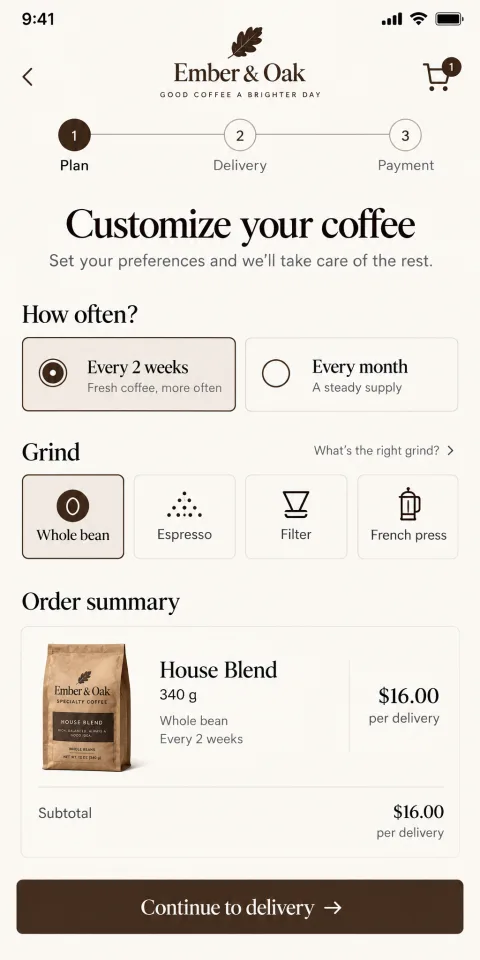
Ember & Oak
Coffee replenishment
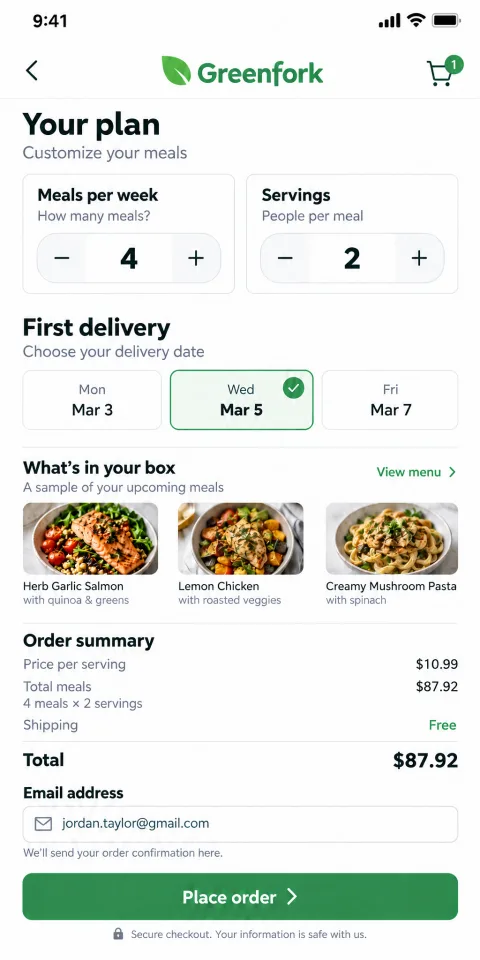
Greenfork
Meal kit
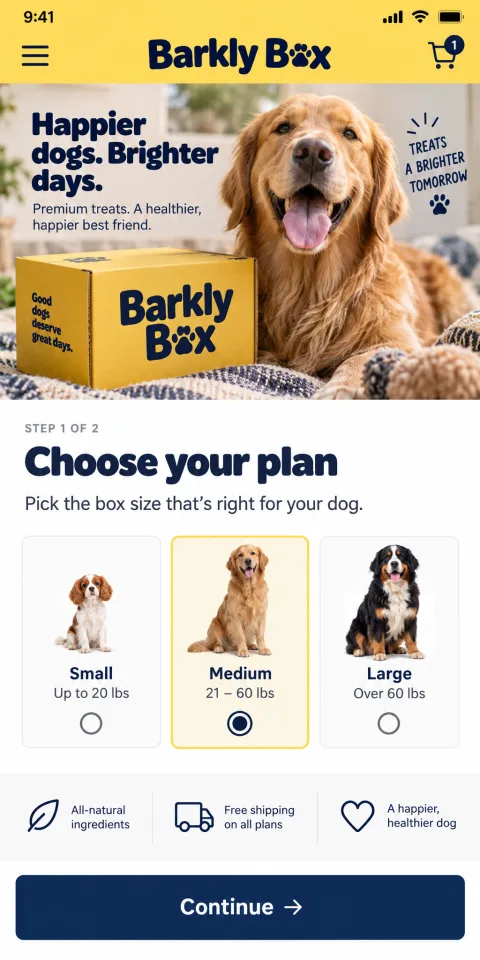
Barkly Box
Pet box
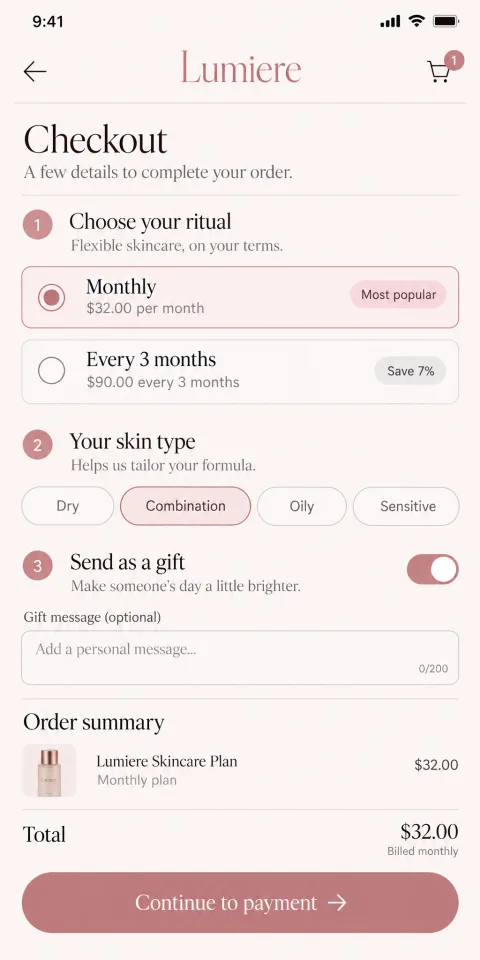
Lumiere
Beauty box
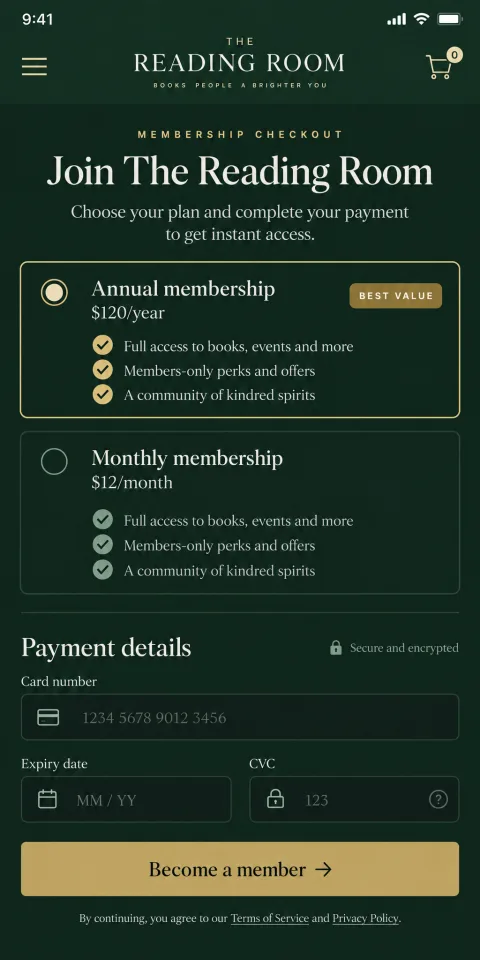
The Reading Room
Membership
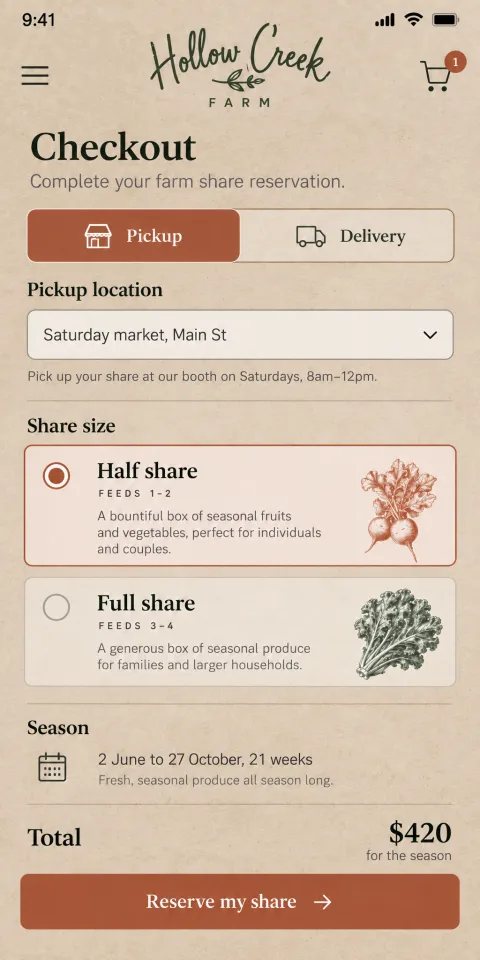
Hollow Creek Farm
Farm share
Example designs for six kinds of subscription business.
Built to convert, and tested on hundreds of millions of dollars of orders.
Every Subbly checkout starts from what has worked across 20,000+ merchants and 11 years of subscription orders: mobile first, few fields, and the plan decision kept clear. Then it’s shaped around your brand and your model.
Express checkout, built in
Apple Pay, Google Pay and PayPal sit at the top of the pay step, so shoppers pay in a tap or two instead of typing a card on their phone.
“Since switching, we’ve seen a 327% increase in overstock sales using Subbly's post-checkout upsells.”
 Cody DingusFinders Seekers, switched from Cratejoy
Express checkout
Works with the payment gateways you already use
- Stripe
- PayPal
- Braintree
- Authorize.net
Look, move and run like a bigger team
Look like you have a designer.
A checkout in your brand, down to the words on the buttons.
Move like you have a developer.
A new offer on Monday, a new question on Tuesday, a gift flow by Friday. Each one is a message.
Run like you have an ops team.
Billing, renewals, failed-payment retries, tax and subscriptions all sit behind the checkout, on one platform.
Nothing to babysit at the moment someone pays.
Your checkout, billing, subscriptions and customer portal run on one platform, with no app layer between the checkout and the billing. There’s no plugin update to break checkout on a Friday night, and no developer on retainer to keep it standing.
And the payment tokens are yours. Many platforms keep your subscribers’ payment details, so leaving means asking every customer to re-enter a card. On Subbly they’re yours from day one. Leave whenever, and take your subscribers with you.
See live status and uptimeA typical stack
- Store
- Checkout
- Subscription app
- Upsell app
- Gifting app

- Storefront
- Checkout
- Billing
- Subscriptions
- Customer portal
One platform, one bill
Already selling on another platform?
Change the checkout layout
General store builder: A few settings, or a higher plan and a developer
Subbly: Describe it
Add gifting, upsells, build-a-box
General store builder: An app for each, each with its own fee
Subbly: Built in; describe it
Subscriptions
General store builder: An app on top of the store
Subbly: Subscription-first, from the core
Moving your subscribers
General store builder: Often every customer re-enters a card
Subbly: Free migration, done by our team
| Task | On a general store builder | On Subbly |
|---|---|---|
| Change the checkout layout | A few settings, or a higher plan and a developer | Describe it |
| Add gifting, upsells, build-a-box | An app for each, each with its own fee | Built in; describe it |
| Subscriptions | An app on top of the store | Subscription-first, from the core |
| Moving your subscribers | Often every customer re-enters a card | Free migration, done by our team |
“We were originally on Wix, but we needed a more powerful platform to scale and personalize our offering. Switching to Subbly allowed us to leverage features like the Churn Suite, dunning tools, and post-checkout upsells. As a result, we tripled our subscriber count in just one year and reduced failed payments by 75%.”
 Jennifer BusbyFounder, Boddle Box, switched from Wix
In the hands of your agency or freelancer, this is a superpower.
They set the direction. Your agent does the build hours. Checkout work that used to be a sprint is a message, so round twelve of feedback costs cents, not a day. And when the project ends, there’s no plugin stack for anyone to maintain.
Developers get the full API and SDKs for anything custom.
Not sure what to ask for? Bring it to Launch Club.
A Subbly host builds real stores on screen every weekday, takes yours as the hot seat and answers anything. It’s free and it’s live.
Reserve a seat
Frequently asked questions
Do I need to know how to code?
No. You describe the change and your agent makes it. If you have a developer, they can work with the API and SDKs too.
Can someone buy a subscription and a one-off product in the same order?
Yes. Subscriptions, prepaid plans, one-off products and memberships go in one cart, with one payment and the right billing for each.
Can I collect custom information at checkout?
Yes. Add surveys and custom questions, such as sizes, tastes or allergies, and use the answers to personalize each box. Subscribers can update their answers in the customer portal.
Can I sell memberships and digital products?
Yes. Sell memberships with members-only content, on their own or alongside a physical box.
How does gifting work?
The buyer picks the gift length, the recipient, a message and a start date. The subscription ends on its own when the gift does.
What happens when someone leaves checkout halfway?
They get an email or text reminder with their plan and box still in it, in your brand and on your timing.
What about failed renewal payments?
Payments are retried automatically on the schedule you set, up to five times, and customers get card-update reminders, so a declined card doesn’t become a cancellation.
What does a change cost?
Most checkout changes cost cents in credits, and new stores get free credits during setup. See pricing
Which payment methods work?
Stripe, PayPal, Braintree and Authorize.net, with Apple Pay and Google Pay through Stripe. Multiple currencies and tax are built in.
Is it secure?
Yes. Cards are handled by your payment gateway, Subbly is PCI compliant, and Strong Customer Authentication (3-D Secure) runs through Stripe.
Can a change break my checkout?
You check every change in preview before it goes live.
Can I move my existing subscribers?
Yes. Our migration team moves your products, customers and active subscriptions for you, for free. How migration works
Will my subscribers have to re-enter their cards?
Not if their cards are stored in Stripe or PayPal, or your current platform can transfer them to your Stripe account: we import them and billing carries on. If your platform keeps the cards, our Subscription Switch emails each subscriber a secure link to add their card in one step, with no login or checkout, and has brought back up to 84% of subscribers within 11 days.

Reject mediocre ecommerce. Great by default.
Great should be where you start, and that includes the checkout. Read why we built Subbly this way in our manifesto.
3 days free, then $1/wk for 4 weeksNo card needed14 days freeCancel anytime


